Skip to content

FRCSoftware Learning Course

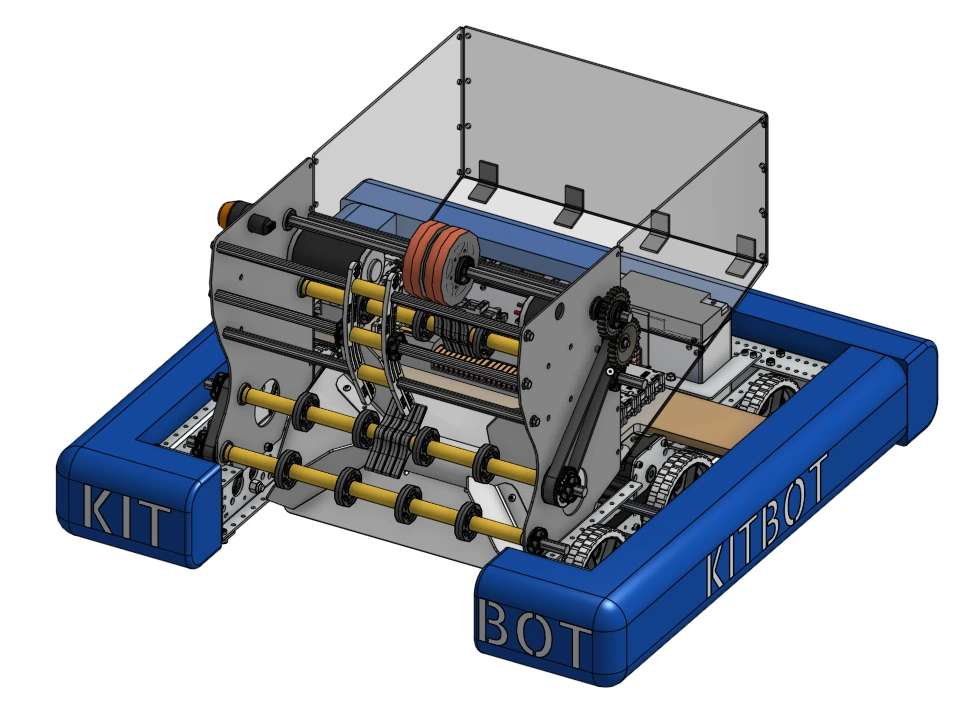
Welcome to FRCSoftware’s learning course! The purpose of this course is to help students learn how to program an FRC robot no matter their skill level. The progression of the course moves from learning how to write Java to programming robots of increasing complexity. We start with individual mechanisms of robots, using the FRC Kitbot, then move to more complex robots.

Software in FRC is always changing! If you want to give feedback or have comments, feel free to do so through our GitHub or Discord.

Tip

We highly recommend going through the learning course in order. The stages are designed to build skills through a carefully crafted progression. You will struggle if stages are skipped.

Course Setup

    Course Setup goes over downloading the tools needed to complete the learning course, as well as how to navigate and use them. This is a great place to start if you’re new to FRC Programming.
    • Required Tools: Download the tools needed for this learning course.

    • VS Code Overview: Learn more about VS Code, the code editor used for this course.

    • Forking and Cloning: Learn how to use git to fork and clone. This is important for accessing templates that are used throughout the course.

A screenshot of VS Code

Stage 0

    Stage 0 covers the basics of Java that is needed to program the Kitbot, a simple FRC robot. This include:

    • Java Fundamentals: Learn about Java syntax, print statements, and variables

    • Operators
    • Conditionals and loops
    • Classes, Fields, and Methods

Stage 1

    Stage 1 is where students start to program Kitbot, a basic robot commonly used to learn basic FRC skills.

    Warning
    Stage 1 uses Command v3 which will only run on a Systemcore. Please note, the code was only tested in a simulation. It was not tested on a real kitbot. Code may not function as expected.
    • Stage 1A: Learn basic FRC programming skills by using the Robot class to program Kitbot.

    • Stage 1B: Learn Command-Based programming, a file structure for programming FRC robots, by adding it to code written in 1A.

    • Work in Progress
      Stage 1C: Learn how to log robot data with telemetry and how to perform basic robot control with PID.

Course Setup

Stage 2

    Work in Progress

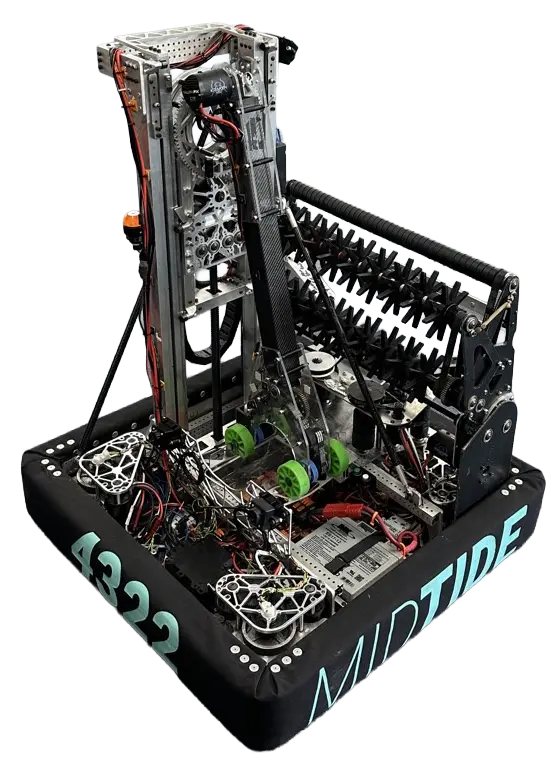
    Stage 2 builds on what students learned in Stage 1 to program a complex FRC robot, team 4322 Clockwork’s 2025 off-season robot MIDTIDE. Students will program the elevator, arm, claw, intake, and indexer mechanisms, learn about feedfoward control, gain more experience with PID control, develop teleop modes with automation and driver enhancements, and learn about effectively structuring a robot program.

MIDTIDE Robot